Therap is the secure online system ABiLITY uses to store information about the services and supports we provide. As an individual we support — or their family or guardian — you can log in to view progress on goals, plan information, and other important details.
Here you will also be able to sign annual plan (PCSP) information and acknowledgements
Directions:
1) Choose how to access Therap
a. Web browser: go to https://secure.therapservices.net/auth/login
b. From the app: download “Therap” from the Apple App Store or Google Play Store.
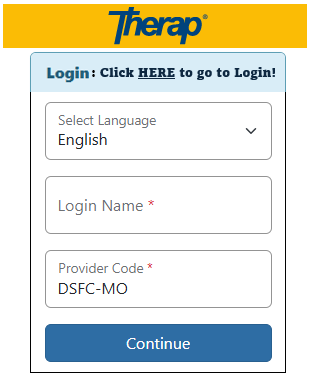
2) Gather your login information
- Login Name: first initial of the first name + last name — e.g., John Smith → j.smith
- Provider Code: DSFC-MO
3) Password: contact your team for your initial password. You’ll be asked to create a new one after your first login (must be at least 8 characters).
4) Log in: There are two login screens — enter your information on both. Once inside, review and agree to the signup agreements. You can skip the Personal Details section (it’s optional) and proceed to the main dashboard.
5) For Plan (PCSP) Secure Document Signatures: click the “To Do” TAB on the left-hand side.
6) To Review Notes and Other Data: click the Individual Home Page TAB and Type in the name of the individual receiving services (you will only have access to yourself/individual you support).
7) To Send a Message to Your Team: Click “Compose” under the SComm Box on the right-hand side of the screen, find the name of the individual you’d like to send a message to.